There are many ways to increase account activity and gain more attention on Facebook. But liking the other person's post is a very simple and efficient method, which can not only bring each other closer, but also greatly increase account activity.
Perhaps you are still manually liking each one now, but this repetitive and monotonous work should not waste your valuable time. It should be done using an automated program, and Facebook Master's automatic liking function can help you with these tasks, greatly saving you valuable time. Currently, the following likes are supported:
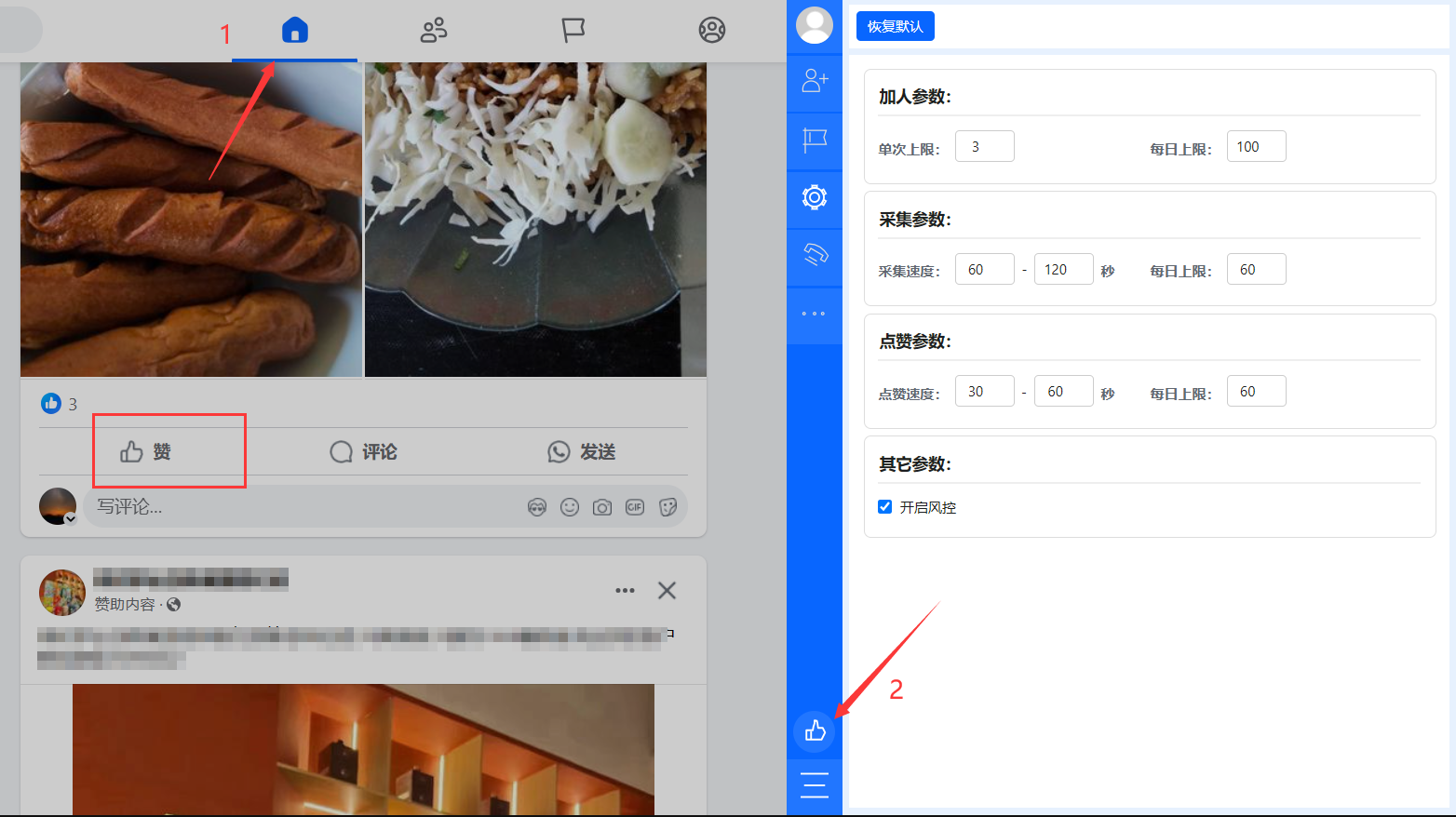
Automatically like posts on the home
Open Facebook's home, load more posts down, and then click on the Auto like icon in the bottom left corner of Facebook Master.
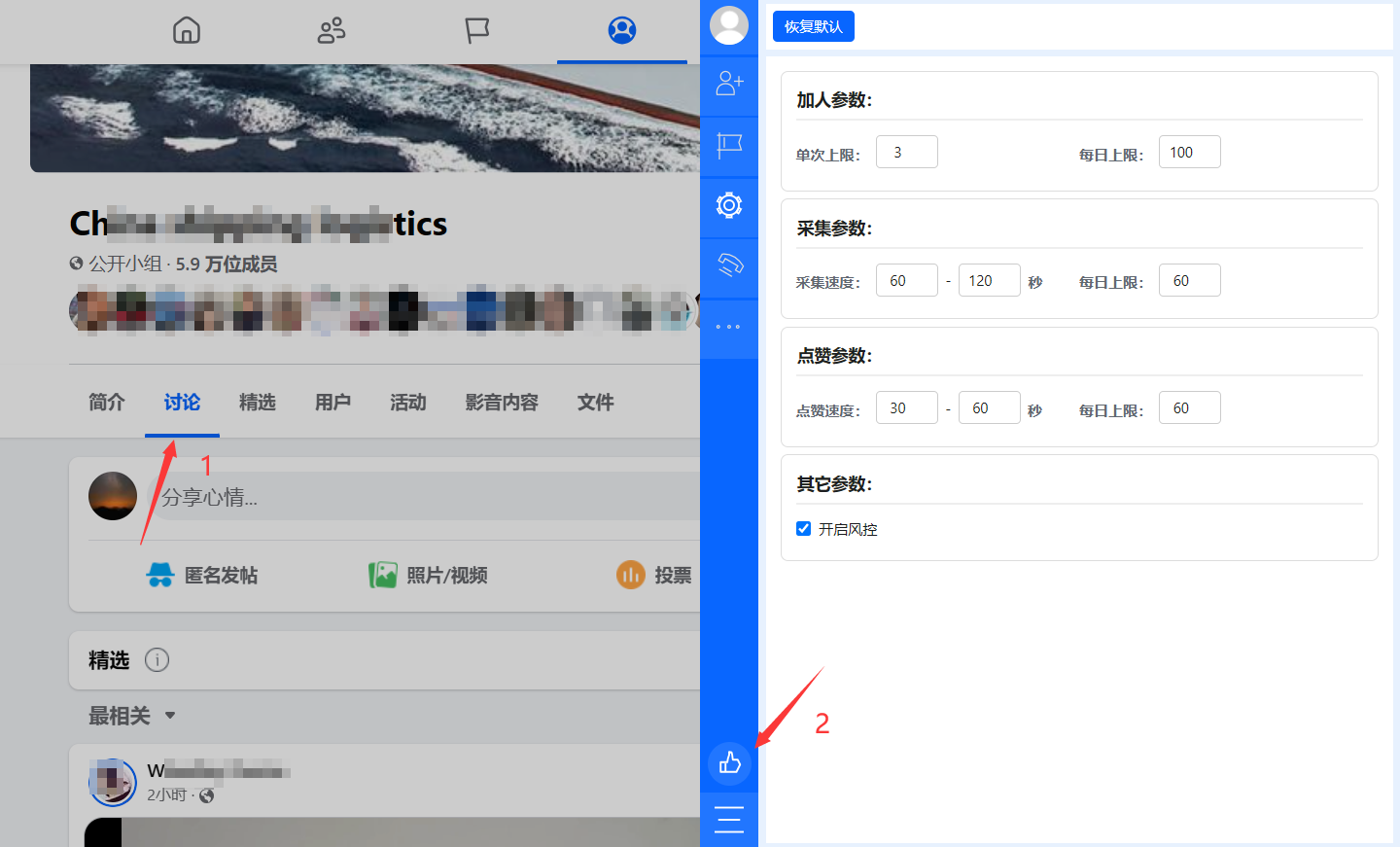
Automatically like posts on the group
Open the group, switch to the discussion, and if there are any posts that can be liked, click on the Auto like icon in the bottom left corner of Facebook Master.
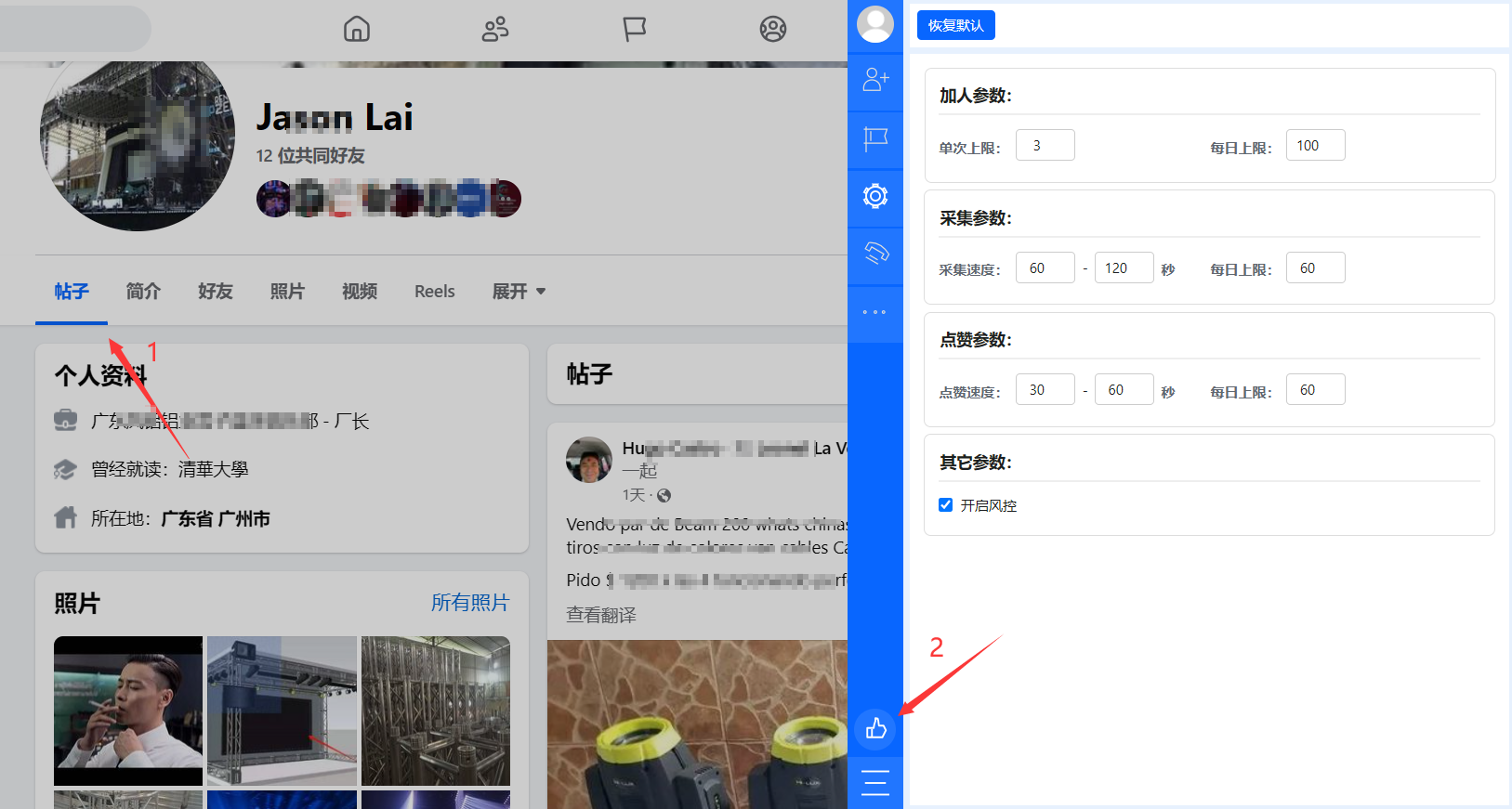
Automatically like someone's post
Open someone's profile and switch to Posts. If there are any posts that can be liked, click on the Auto like icon in the bottom left corner of Facebook Master.
Note:
- Don't set the speed of liking too fast;
- Don't like too much in the short term;