Download
First download,http://fbookmaster.com/#download
Install
The plugin supports Chrome and Edge browsers. Below is the installation guide; follow these steps to complete the setup successfully.
- Google Chrome Installation Guide
- Microsoft Edge Installation Guide
-
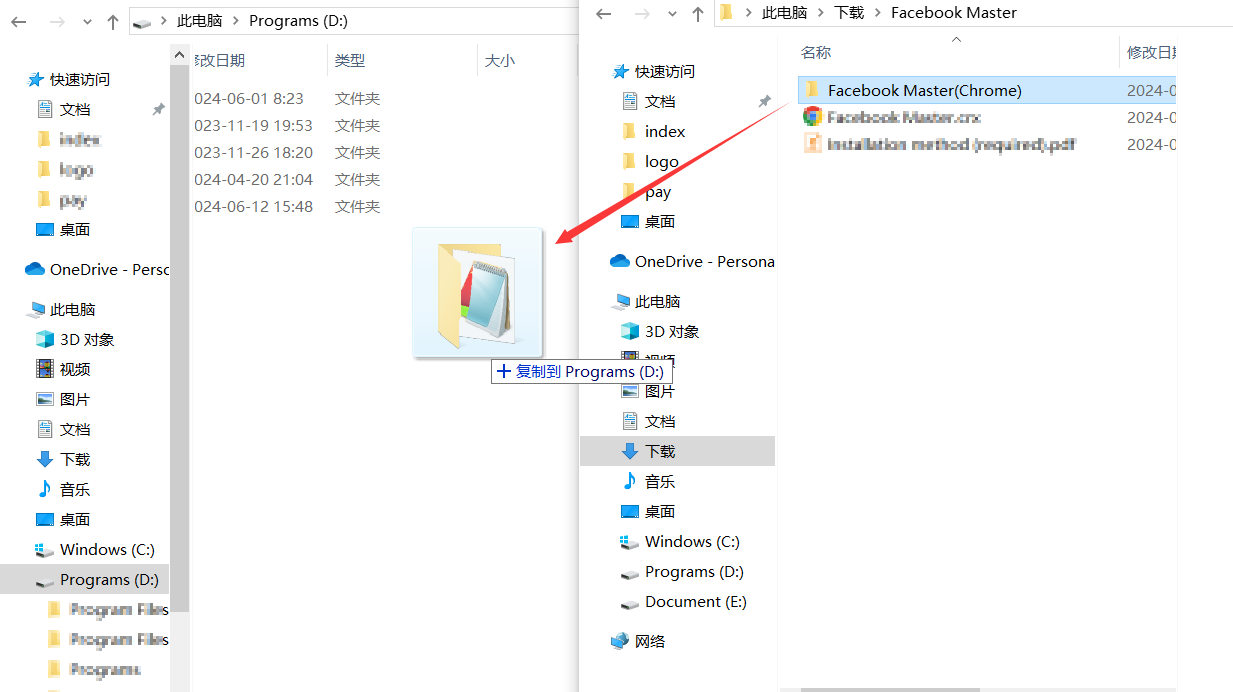
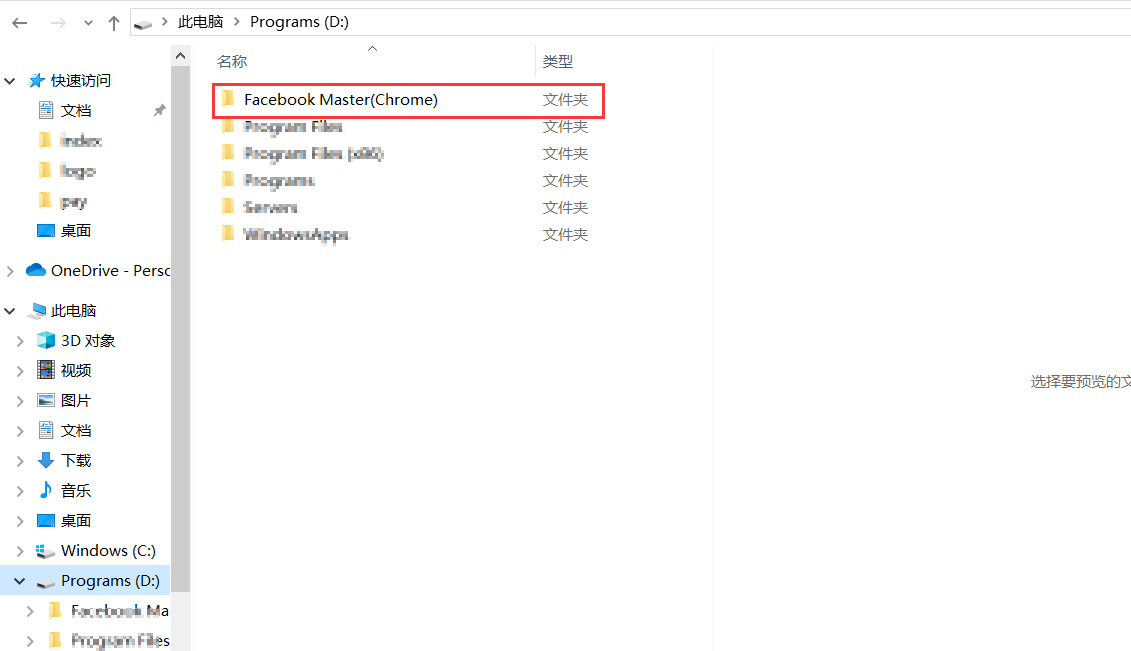
After downloading the file, extract it first. Then copy the Facebook Master(Chrome) folder to your D: drive (any other drive works as well, as long as you can locate it during installation).
-
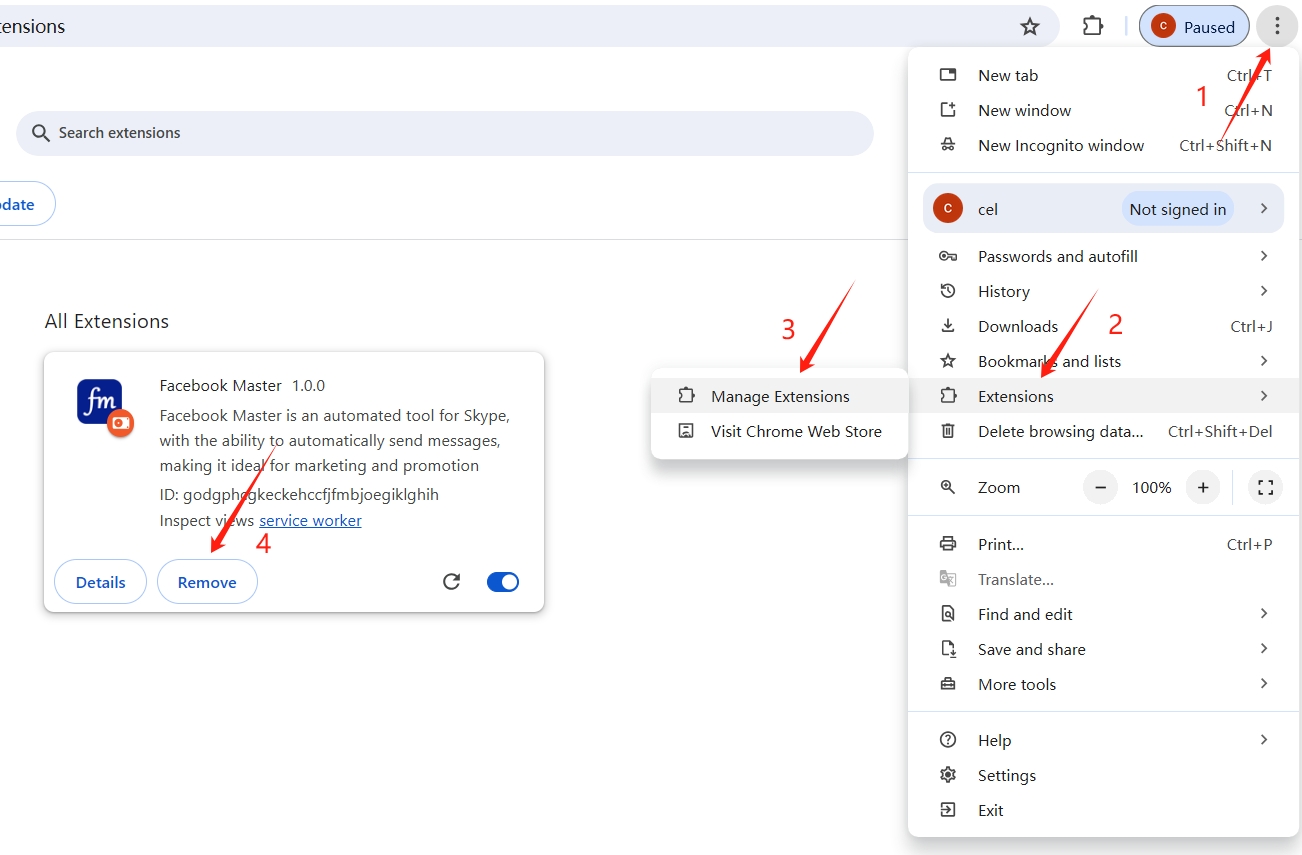
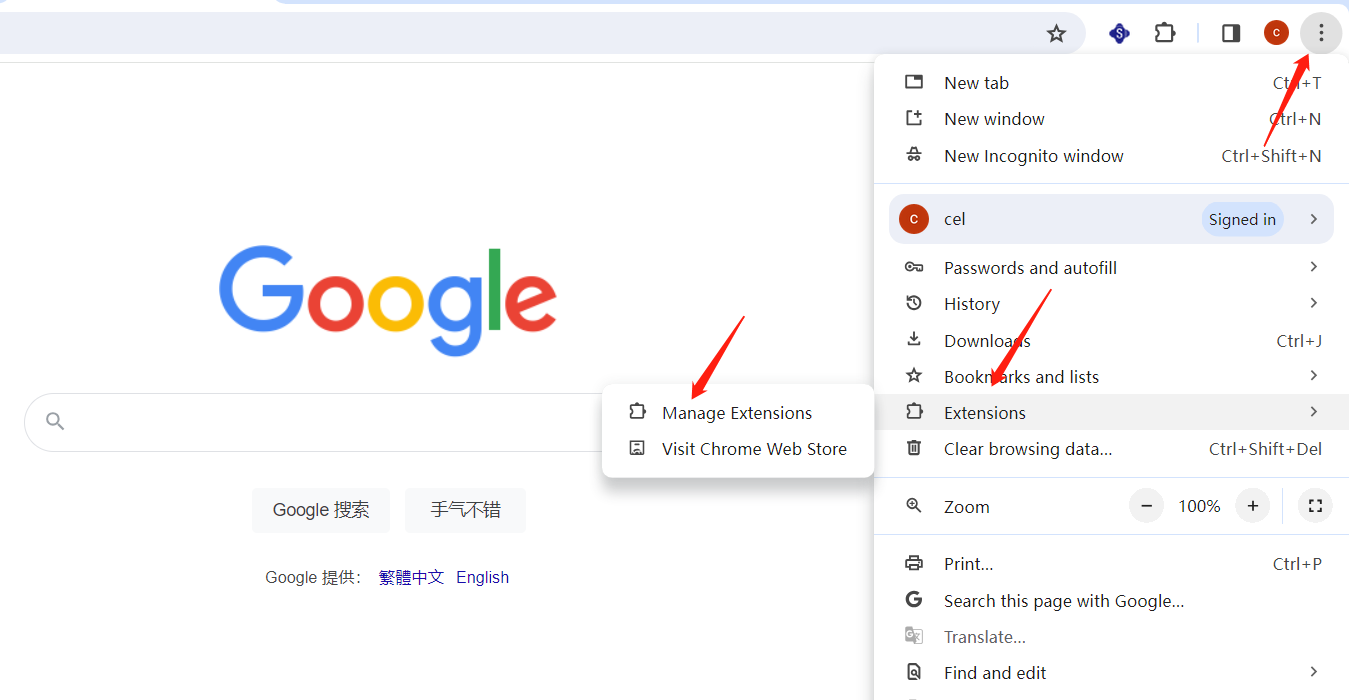
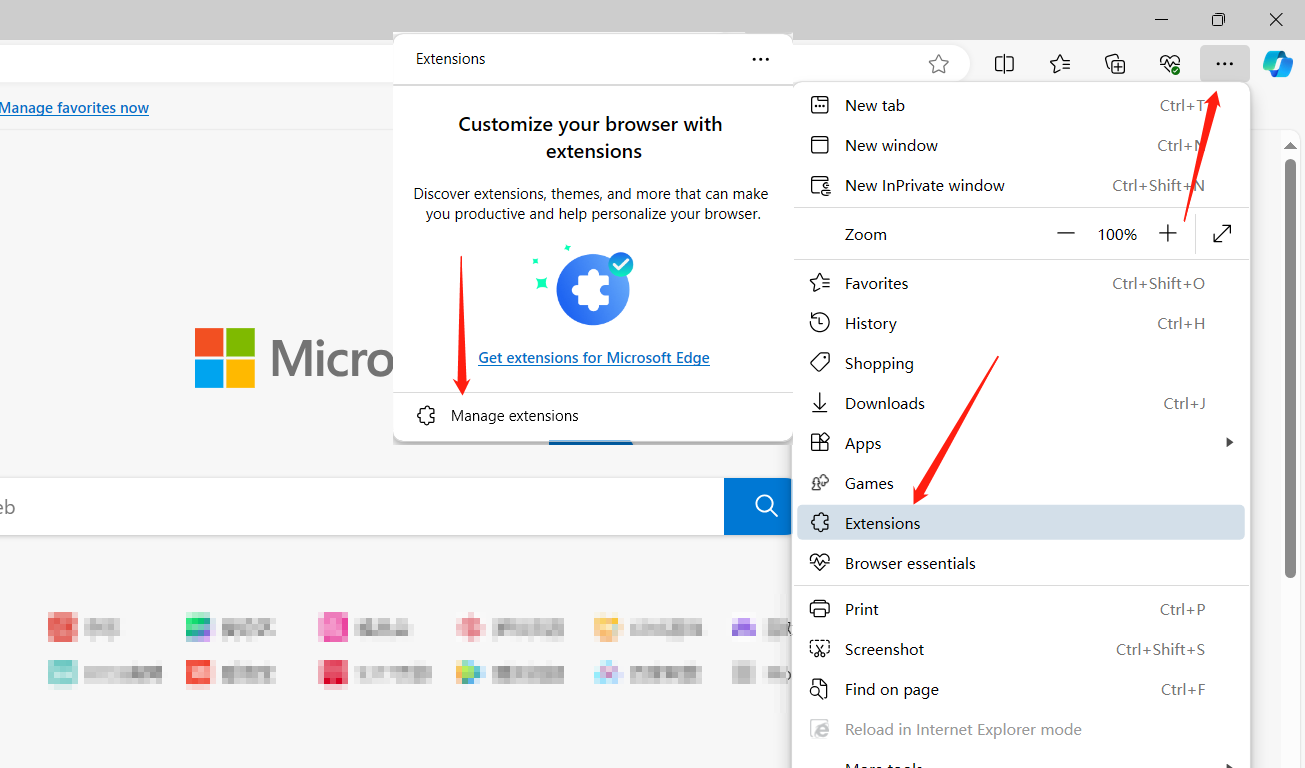
Open Chrome, click the menu icon in the top-right corner → Extensions → Manage Extensions
-
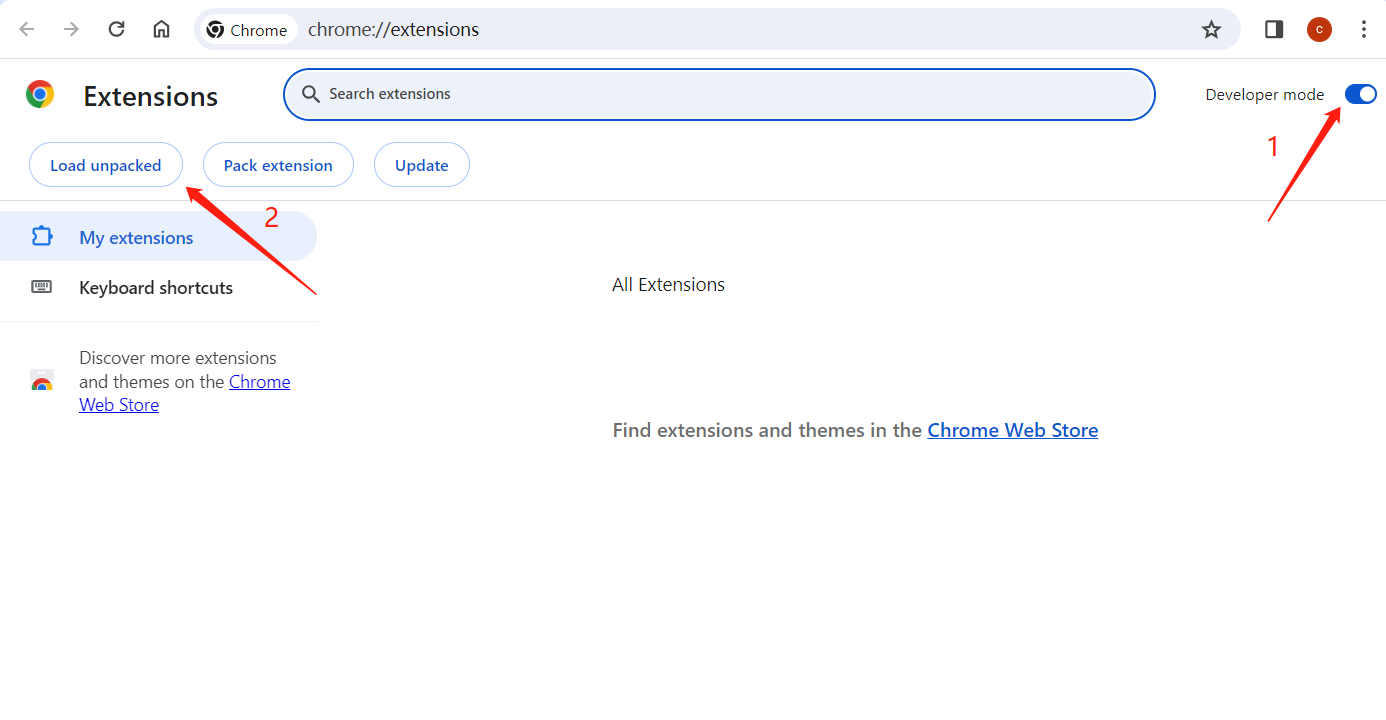
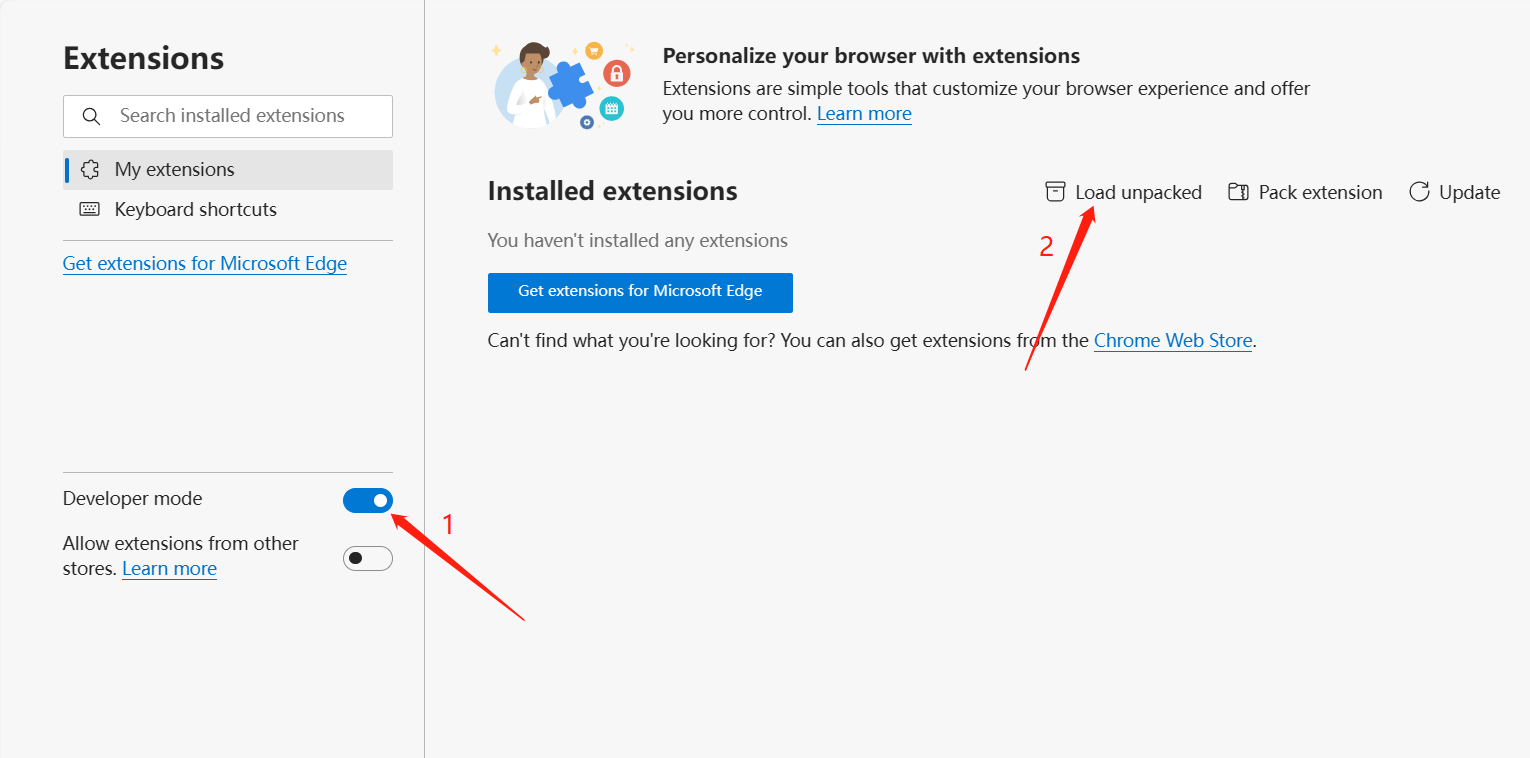
First, turn on Developer mode, then load unpacked.
-
Select the "Facebook Master(Chrome)" folder that you just copied to the D drive.(Make sure you select the correct folder.)
-
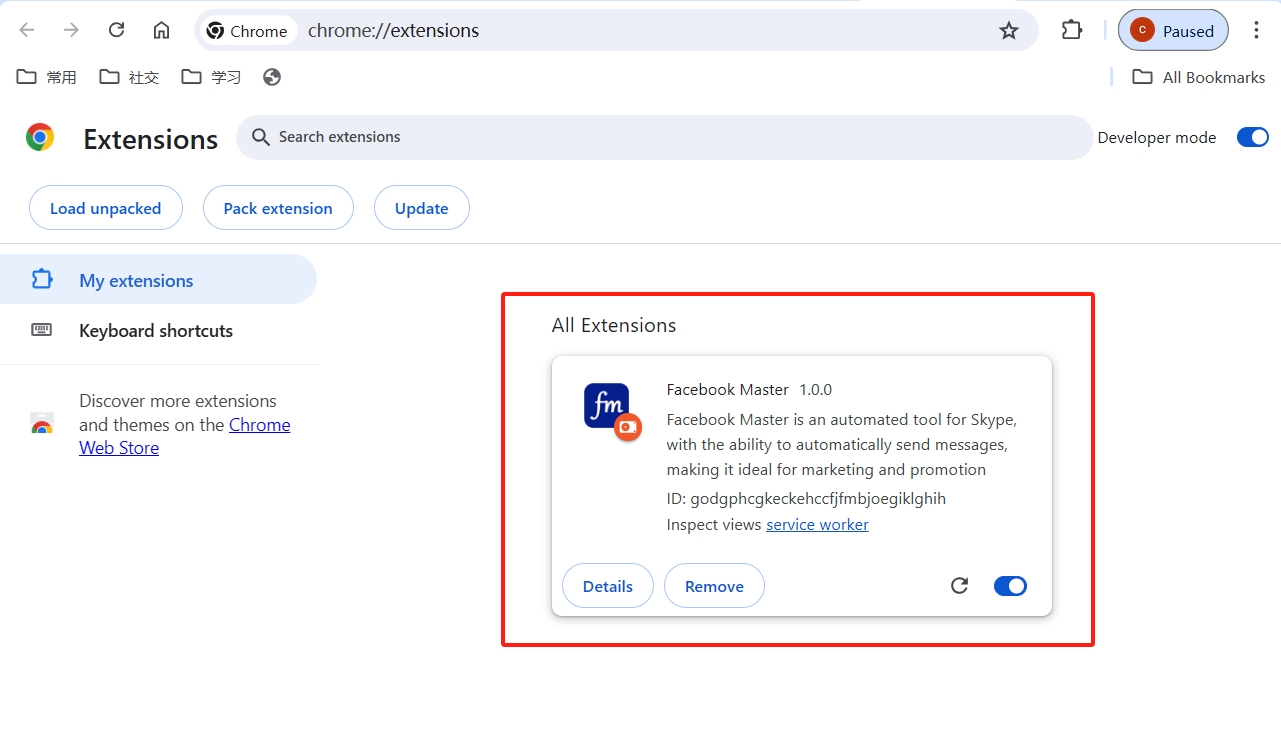
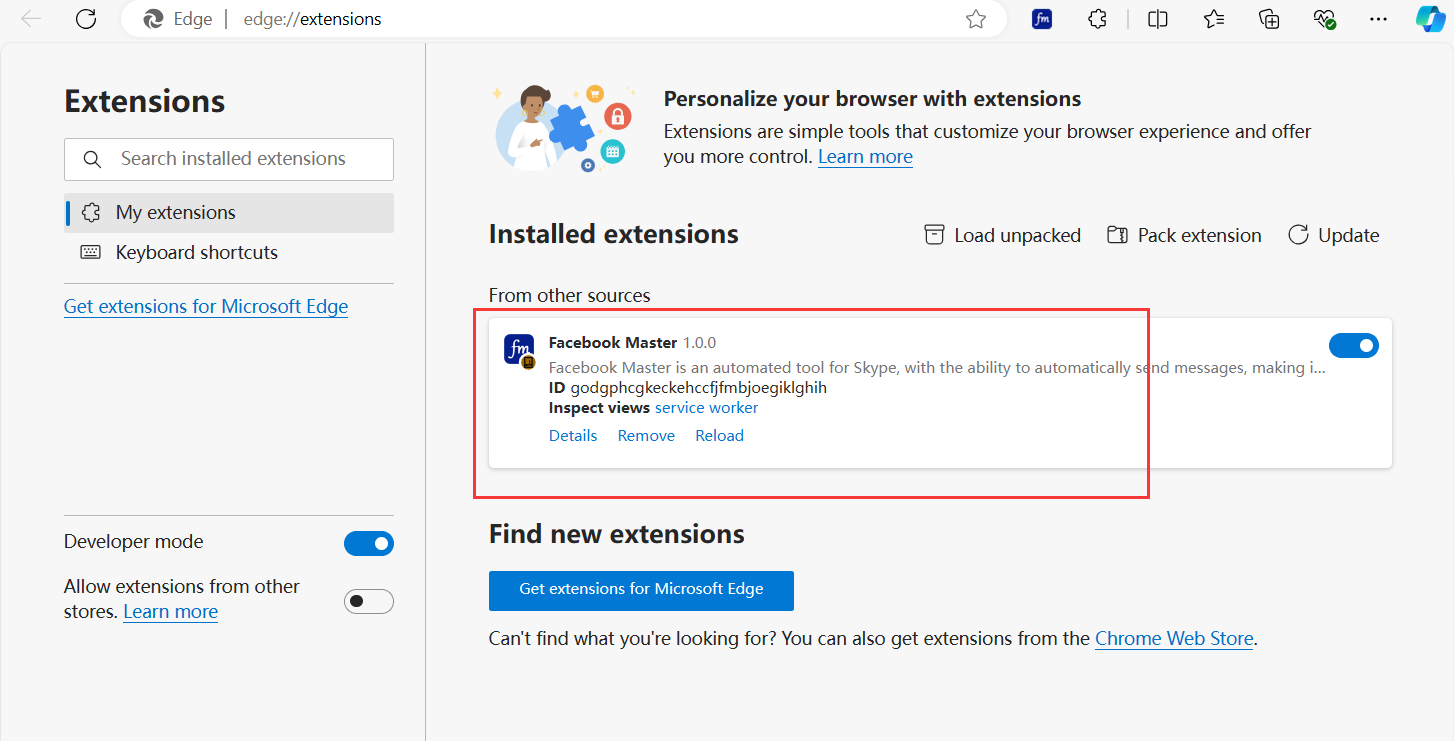
If the interface shown below appears, the installation was successful.
-
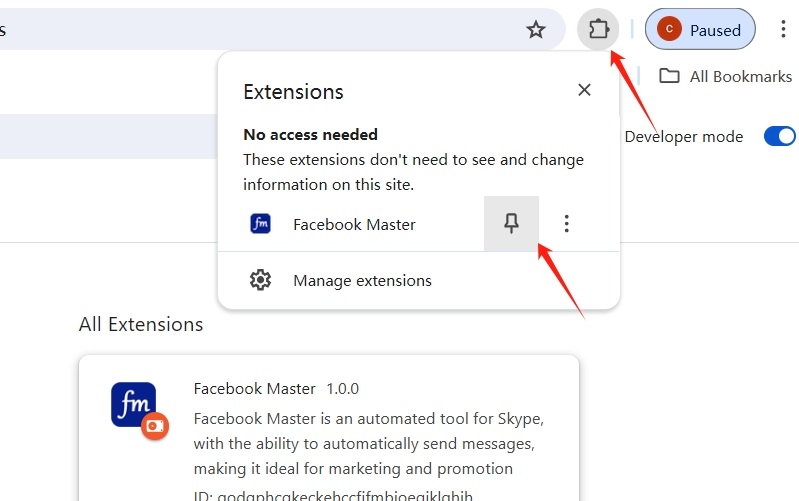
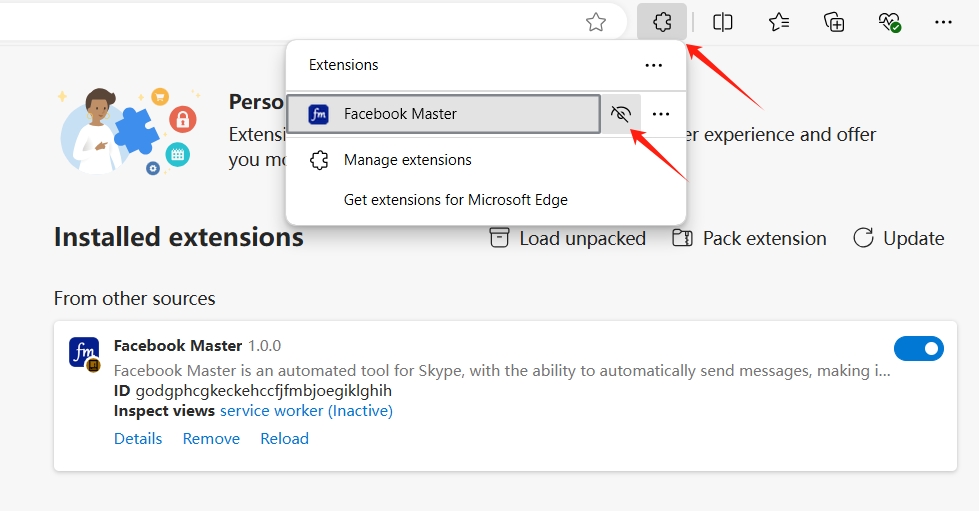
If the icon does not appear in the top-right corner of the browser at this point, you only need to pin it to show it permanently.
-
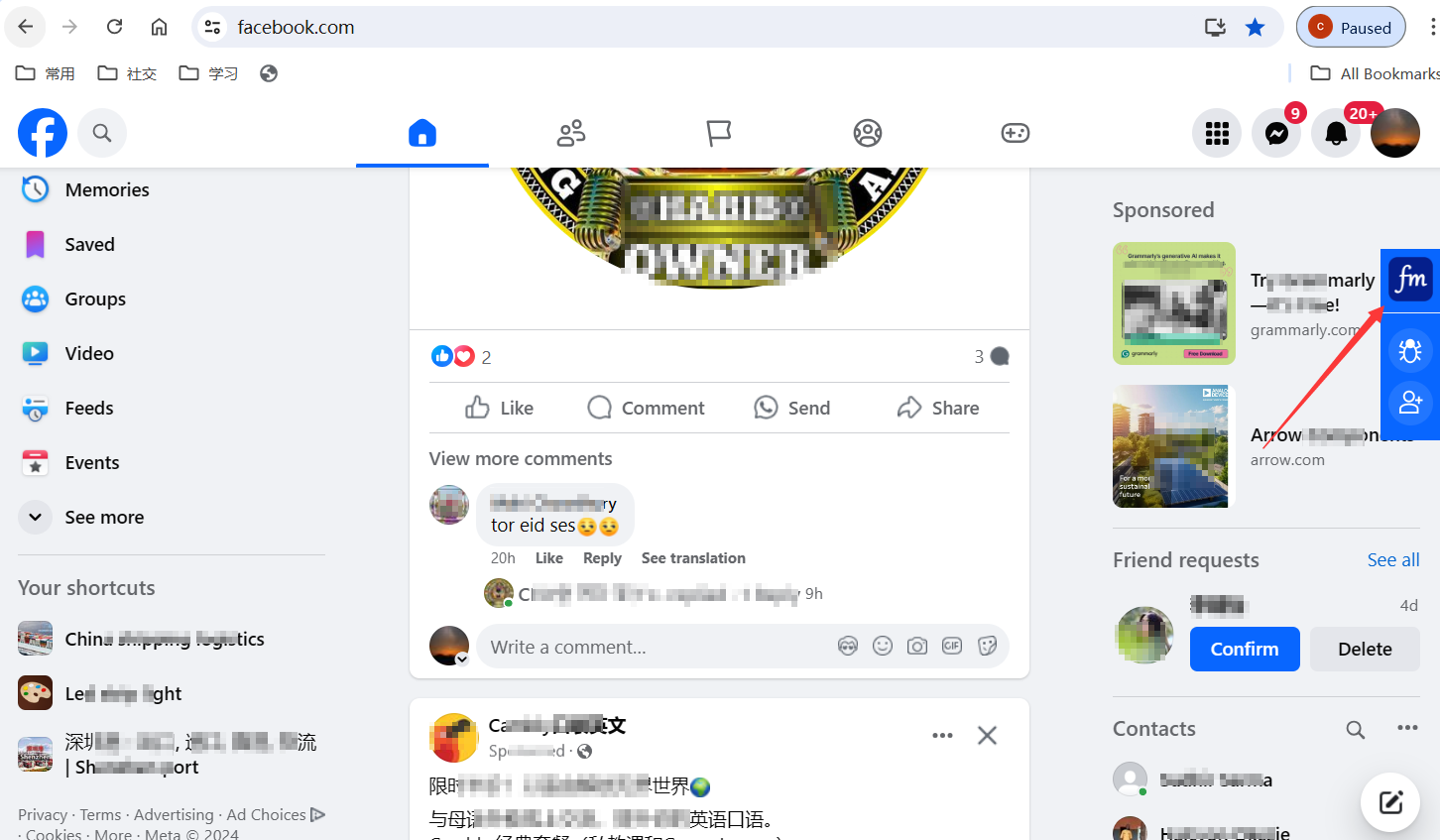
You can now use the extension by opening the official Facebook website. https://www.facebook.com
- Do not delete the Facebook Master(Chrome) folder you copied to the D drive.
- If the browser prompts you to remove the extension, do not remove it — choose to keep it instead.
- Before updating, always remove the old version first. Do not mix the newly downloaded version files with the old ones.
Google Chrome Installation Guide
Update
If prompted for Facebook Master update, simply delete the old version first, then download and install the new version again.