Facebook pages have many contact information that can be viewed. If we want to get their information into an Excel spreadsheet, we can manually open each other's profiles one by one, and then copy and paste them into the Excel spreadsheet. But this is a very inefficient method.
Through the collection function of Facebook Master, automatic collection and one click export to an Excel spreadsheet can be achieved. It can greatly save you valuable time.
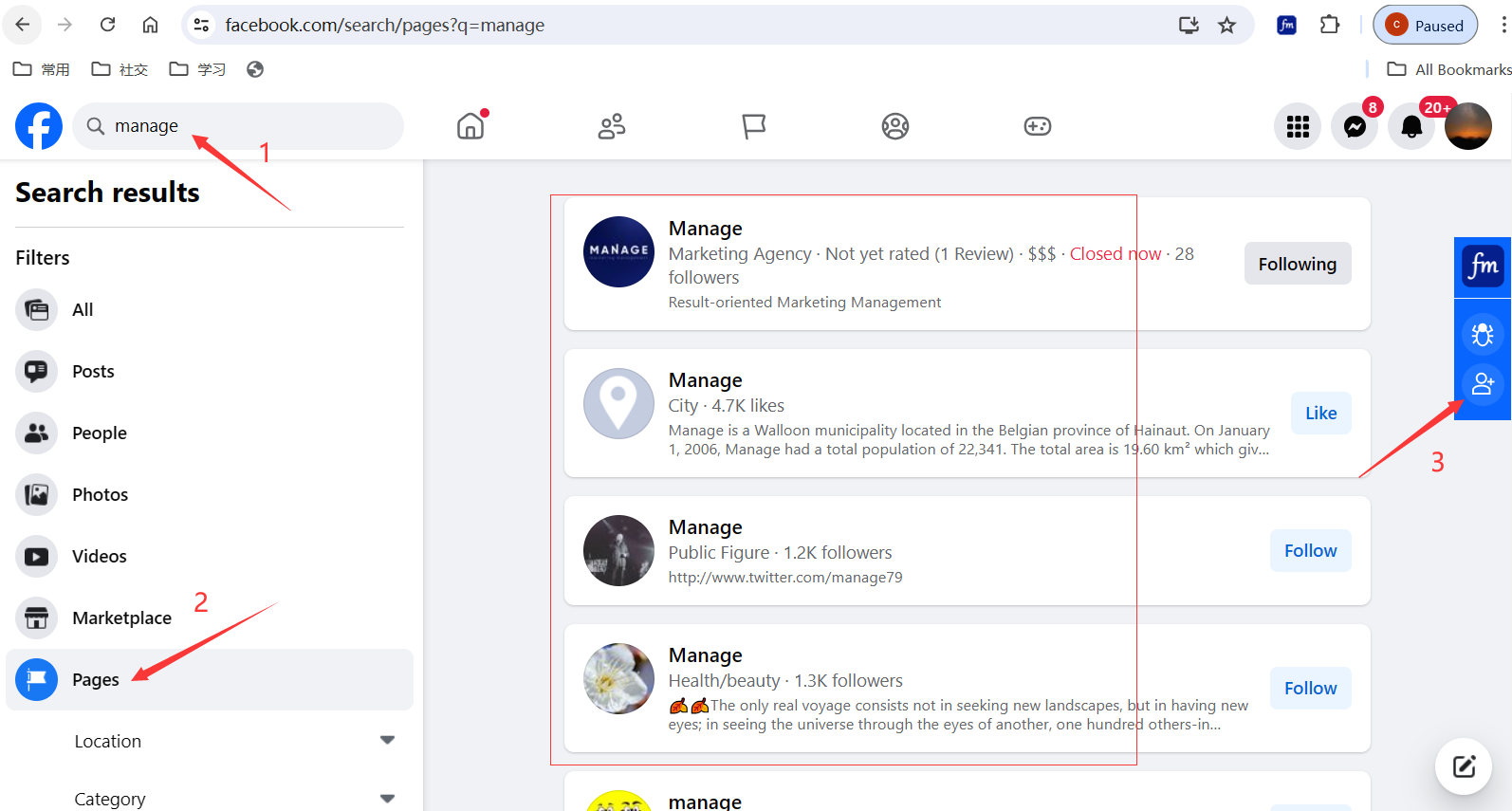
Firstly, search for pages by entering keywords on Facebook, Then click on the "Join the collection queue" icon on the right Facebook master to join the collection queue.
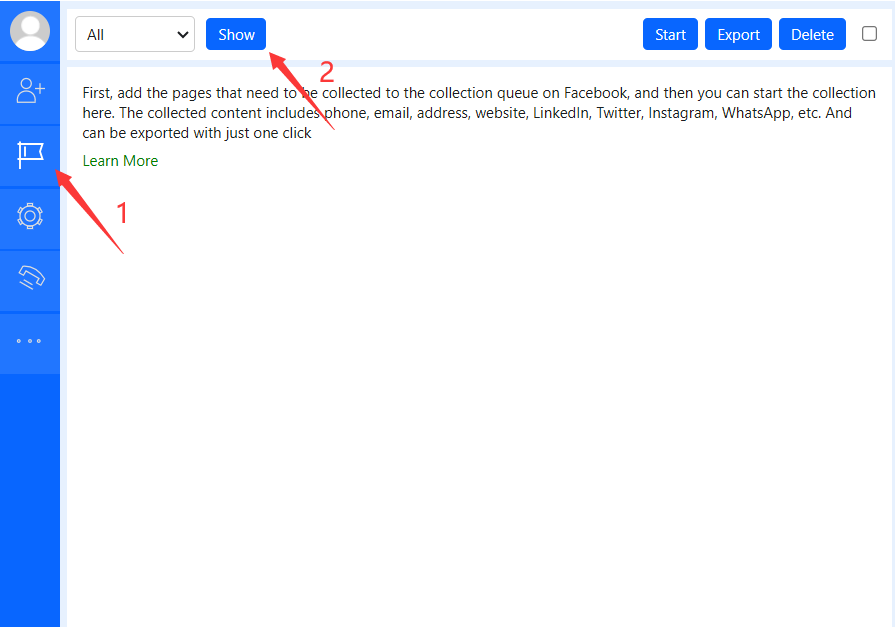
Then open Facebook Master and click the "Show" button to display the pages that have just been added to the queue.
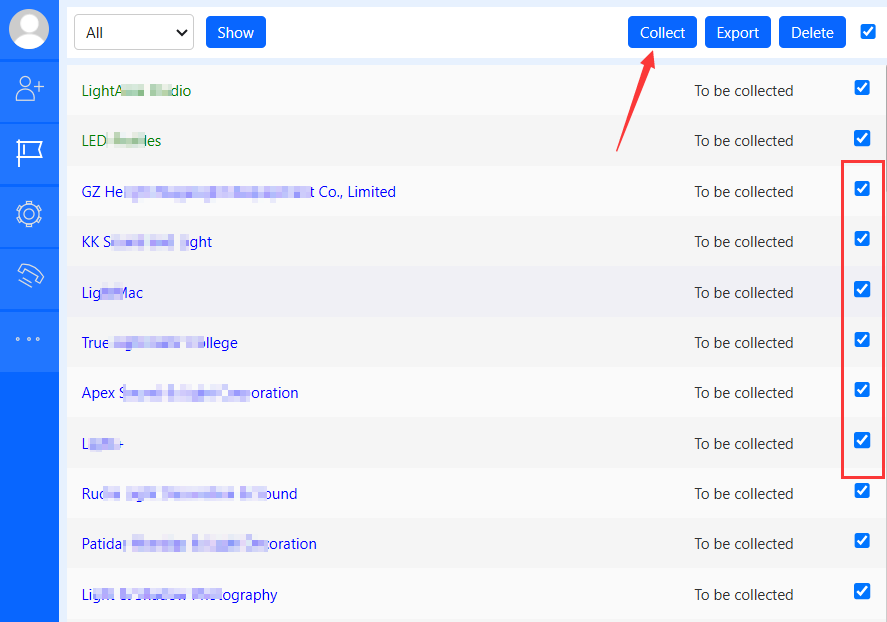
Select the page to be collected, and finally click the "Collect" button.
Note:
- Don't set the collection speed too fast;
- Collected items will be skipped and will not be collected repeatedly.