Many people add friends on Facebook one by one manually. This method is not only inefficient and time-consuming, but also likely to cause account suspension. However, the one-click add friend feature of Facebook Master not only saves time and improves efficiency by 30 times, but also is safer than manual operation. Currently, the following ways of adding friends are supported:
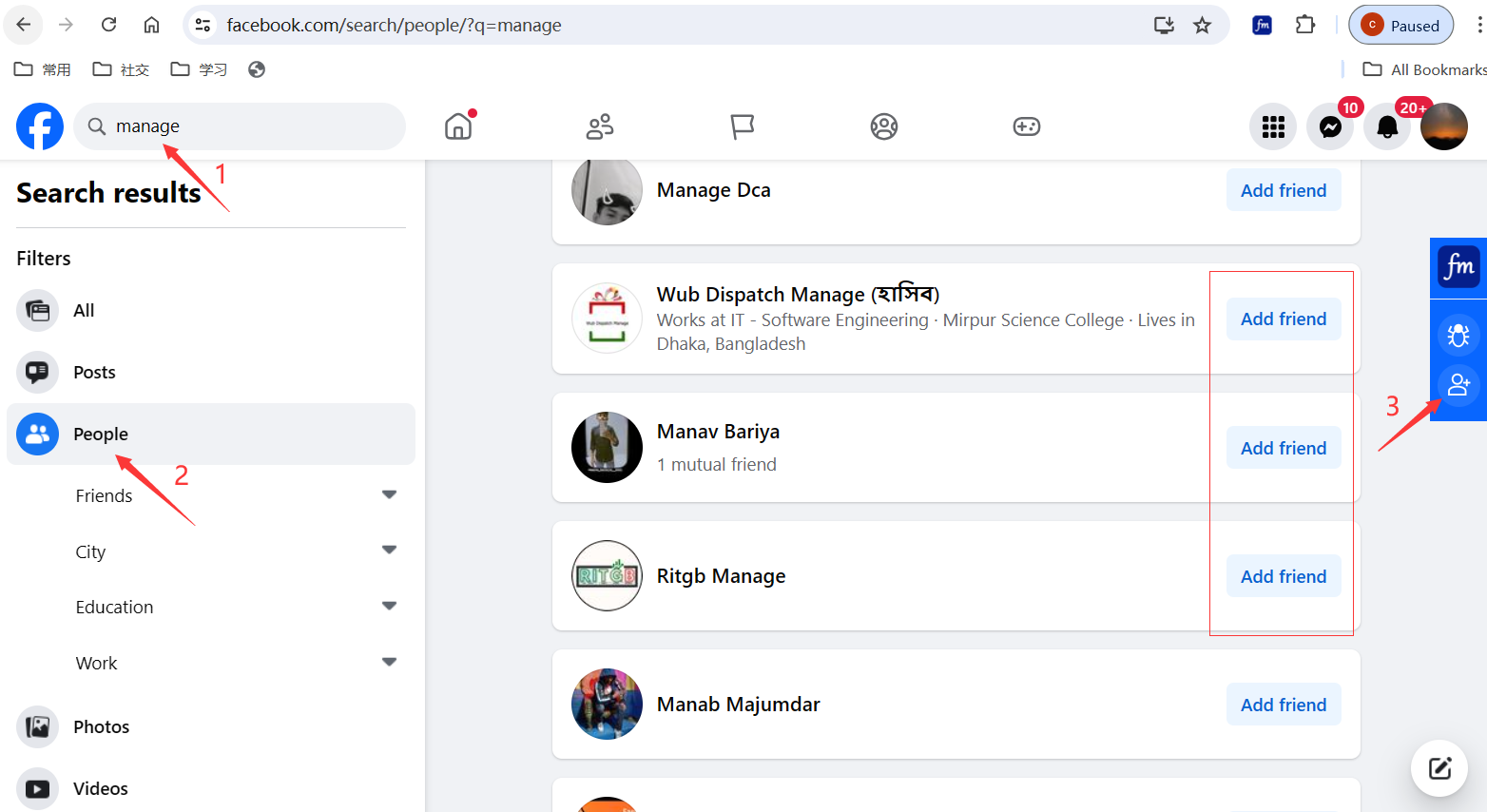
One-click add searched users
Enter keywords to search for target users, then click the "One-click Add Friends" icon of Facebook Master on the right side.
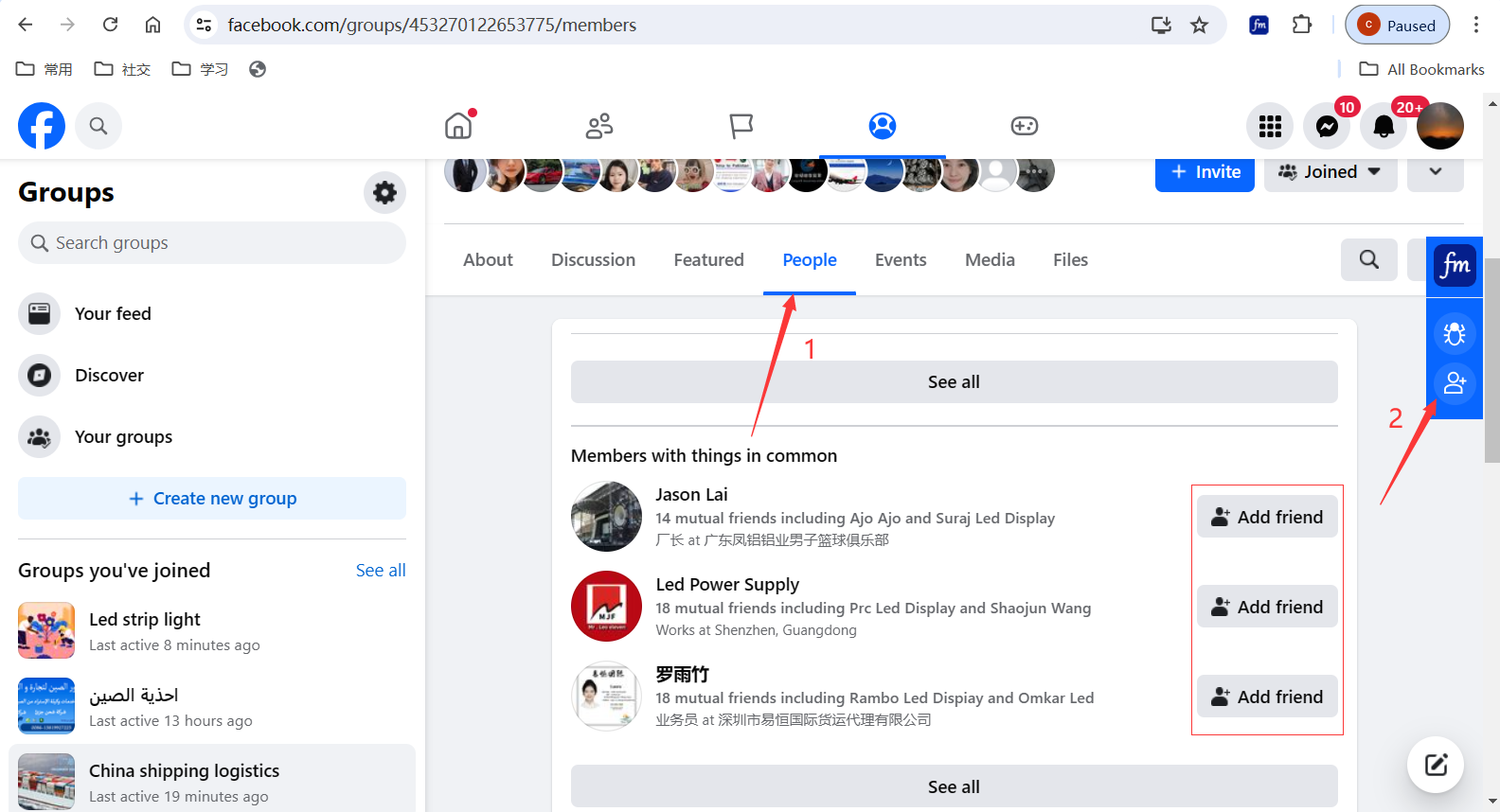
One-click add group members
Open the members list of a certain group. If users with "Add Friend" displayed are shown, it means these people can be added. Just click the "One-click Add Friends" icon of Facebook Master on the right side.
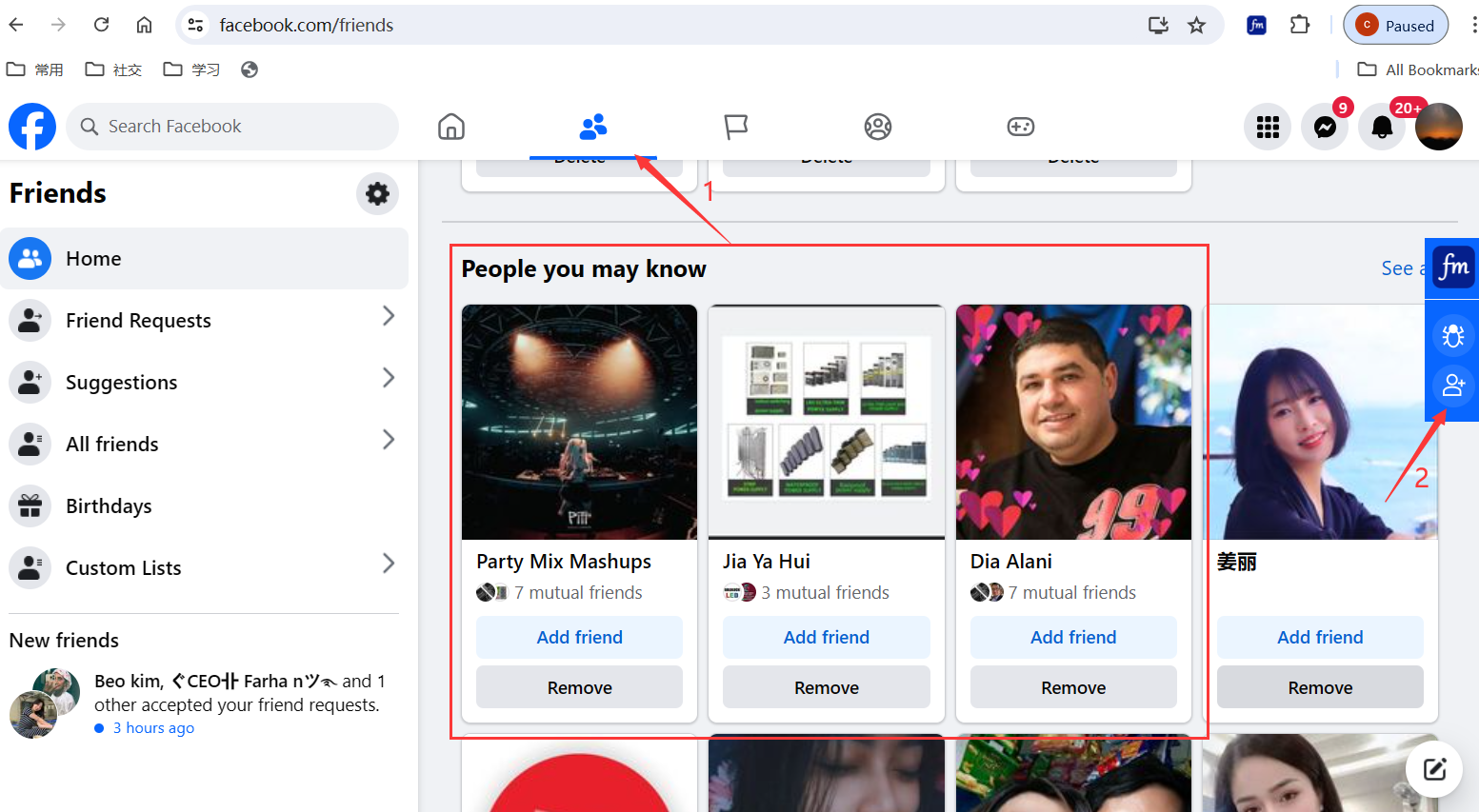
One-click add people you may know
Open the Facebook homepage, there will be a list of people you may know. If there are people available to add, click the "One-click Add Friends" icon of Facebook Master on the right side.
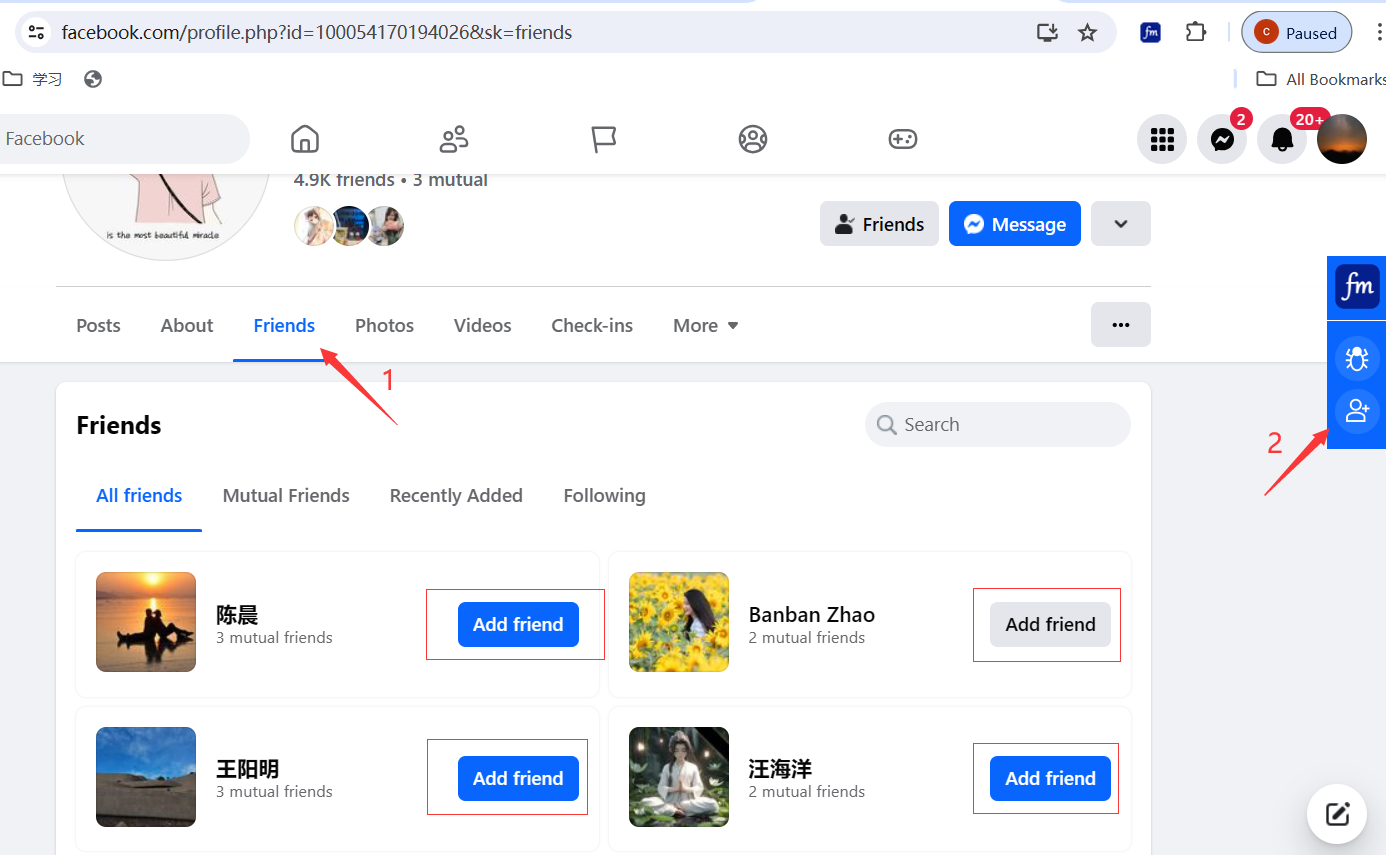
One-click add all friends of someone
Open someone's profile page, go to Friends -> All Friends. If there are people available to add, click the "One-click Add Friends" icon of Facebook Master on the right side.
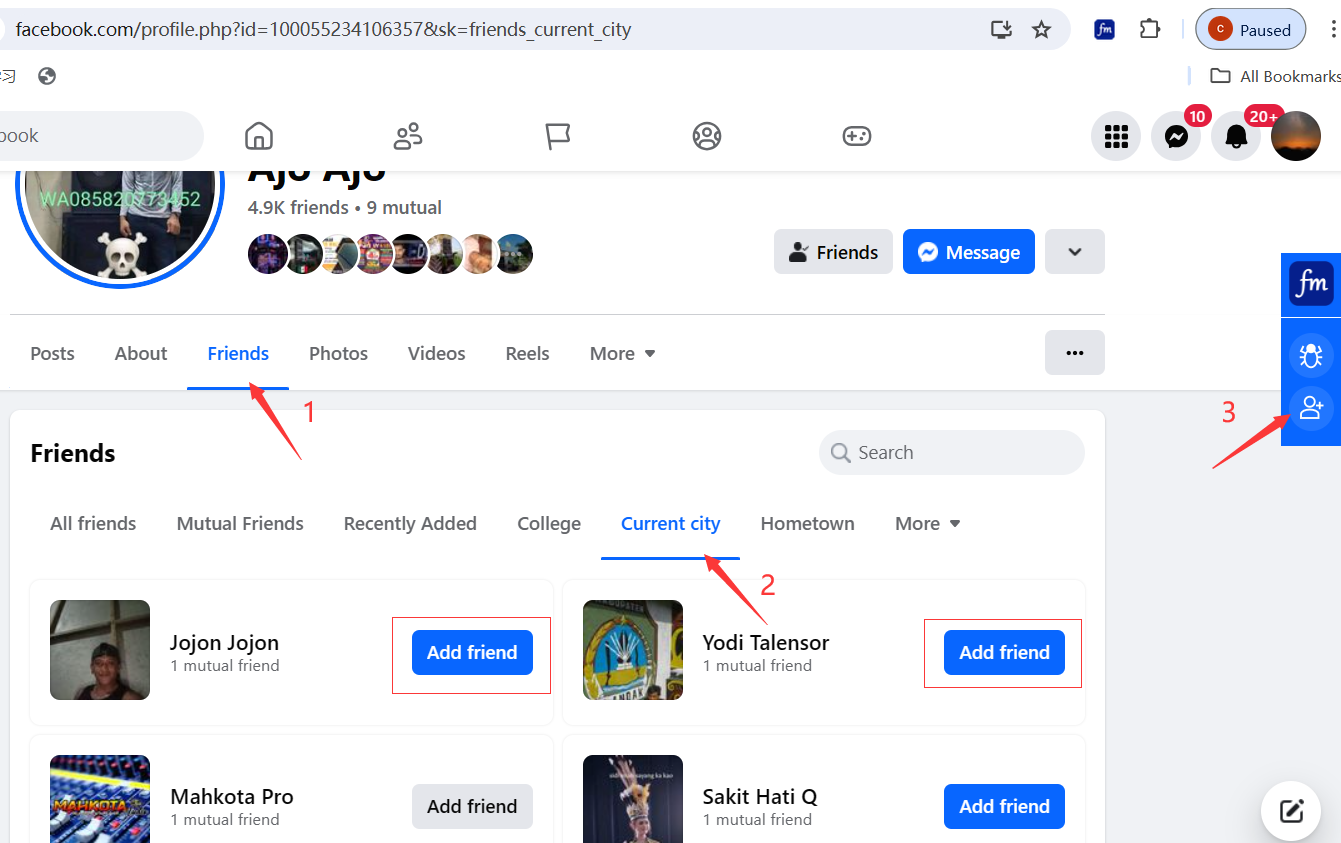
One-click add friends in the same city
Open someone's profile page, go to Friends -> Current city. If there are people available to add, click the "One-click Add Friends" icon of Facebook Master on the right side.
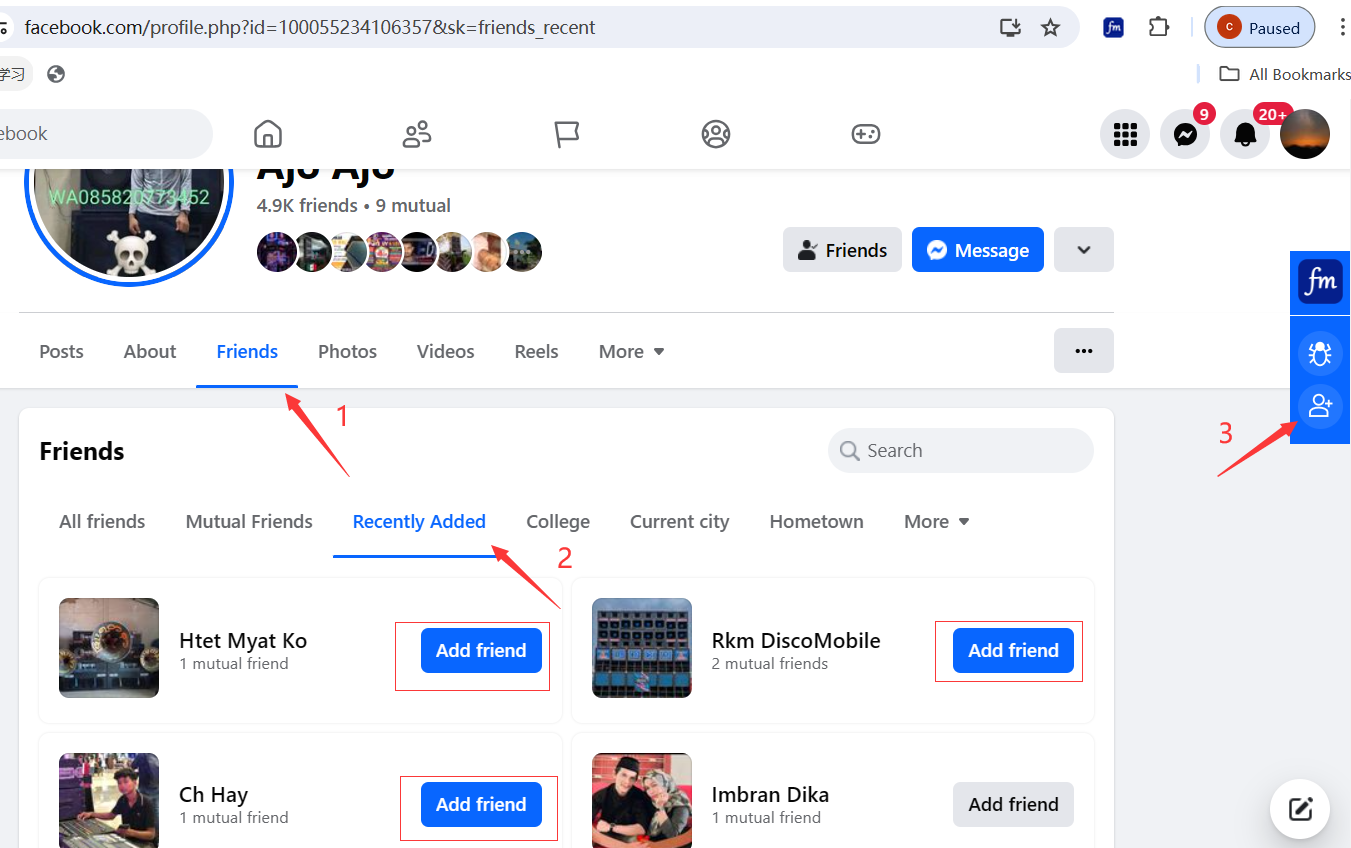
One-click add someone's recently added friends
Open someone's profile page, go to Friends -> Recently Added. If there are people available to add, click the "One-click Add Friends" icon of Facebook Master on the right side.
One-click add recommended users
Facebook will recommend some similar or potentially known people to you based on your friends and profile information. These people can be added, and you can add them all with one click through Facebook Master.
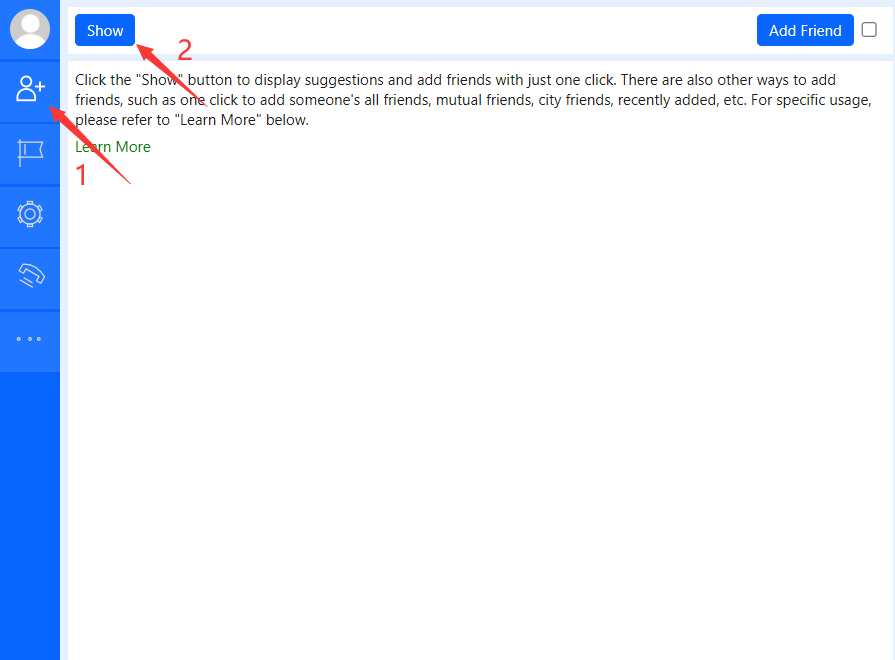
Open the Facebook Master interface, in the "Add Friends" tab, click the "Show" button, and the recommended people will be shown.
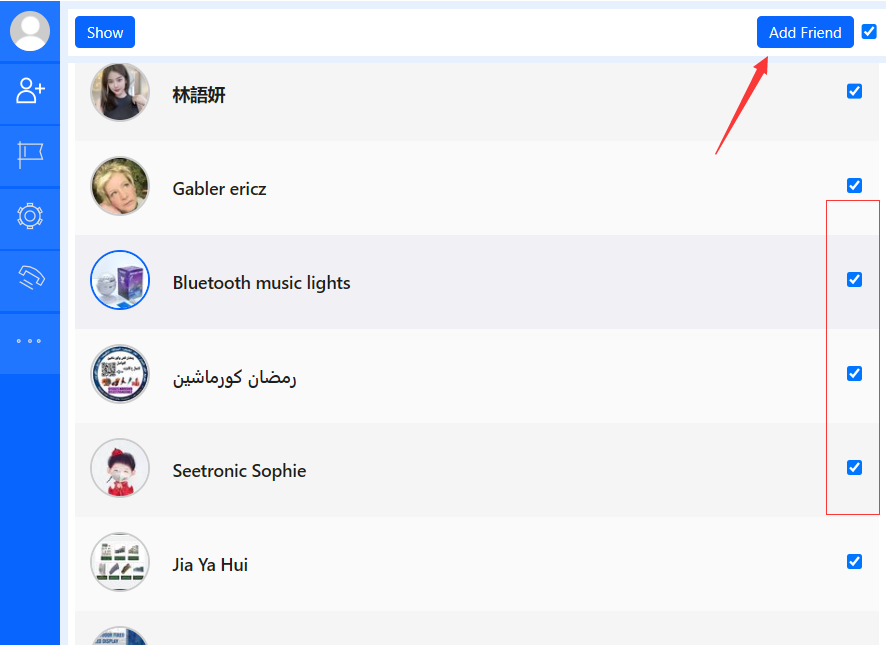
Select the people you want to add, then click the "Add Friend" button.
Notes:
- Only Chinese and English interfaces are supported at present. Please set your Facebook interface to Chinese or English;
- You can set the number of friends to add each time in the settings;
- Do not add too many friends in a short period of time.